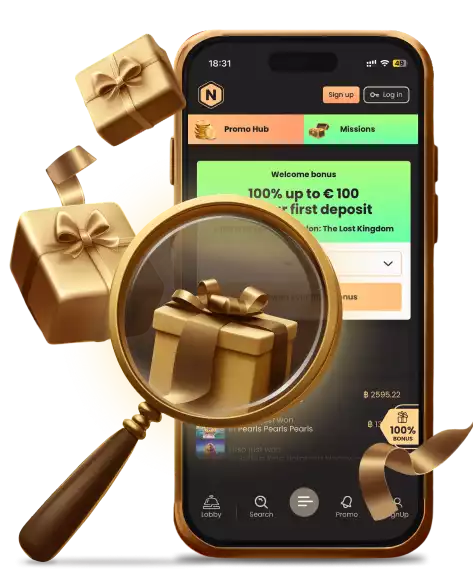
National Casino Australia: Install the App & Get Spins
Add the National Casino Australia app straight from the site — no App Store, no APK hunt. One account, every game, and 10 free spins for setting it up.
The National Casino Australia App
Here's the bit most casino app pages keep quiet about: a good few "casino apps" aren't apps in any real sense. The download button leads either to a store listing that might not even be there or, worse, to a file you're meant to install from some source you've never come across. National Casino skips the theatre. What it gives you is a web app installed straight from the site onto your home screen — and once the penny drops on what that really is, it turns out to be the more sensible arrangement anyway.
Everything's laid out below: putting it on an iPhone or an Android, what the thing actually does for you, what your device has to have, and why the straight answer to "is there an app?" comes out as "yes — and it beats whatever you had in mind."
What the App Actually Is
The National Casino app is a Progressive Web App — a PWA. In plain language, it's the casino itself, planted on your home screen under its own icon, launching in its own window, carrying on almost exactly like something you'd downloaded. What sets it apart is the source: instead of dragging a package down from a store or a file out of a directory, you add it straight from the official site by way of your browser.
That reads like a technicality, but you'll notice it in a few concrete ways. No separate mobile account needs setting up — the app rides on the same login as the desktop site, so your balance, bonuses, VIP rung and history are all present the second you sign in. Nothing needs updating by hand, since it keeps pace with the website on its own. And there's no APK to dig out of an unofficial source — which, as we'll get to shortly, is exactly the part worth steering clear of.
Certain regions do get a fuller native download, but the installable web app is the route that holds up everywhere, and for most players it's the one to take regardless. Quicker to set up, safer, and it does everything the games call for.
There's a small incentive for setting it up, too: install the app and 10 free spins are yours, no deposit required. Details on claiming them are further down.
How to Install It
Setup runs about a minute, and it opens the same way on every device — by loading the actual National Casino site in your browser, not by trawling a store. Here's each platform.
On Android
Android goes via Chrome, with no standalone file involved:
Open Google Chrome on your phone or tablet.
Go to the official National Casino website.
Log in to your account, or register if you're new.
Open the site's side menu and pick Application.
Press the install button on the page.
When Chrome raises its "Install National" prompt, confirm.
Hold on a second for the National icon to land on your home screen.
Open it and log in with your usual email and password.
Some phones have Chrome offer its own install banner unprompted — see it and you can just tap Install and confirm. Either way you end up at the same home-screen icon.
On iPhone and iPad
On iOS, National reaches the home screen through Safari:
Open Safari.
Head to the official National Casino site.
Sign in to your account.
Open the Application section to see the mobile offer.
Tap the Share button in Safari's toolbar.
Run down the list and choose Add to Home Screen.
Check the icon's name — usually it reads National — then tap Add.
Back on the home screen, open the fresh icon and log in.
The app opens from there in a window of its own, giving full run of the games lobby, promotions, cashier, VIP section, sportsbook and support.
A Straight Word About APK Files
The term "APK" turns up all over Android casino pages, so let's be plain about it. An APK is an Android install file, and certain sites push you to grab one from a third-party directory. We'd steer you clear of that. Loading a file from an unofficial source means turning off Android's defence against unknown installers and trusting a copy of the app you've no way to check — precisely the sort of chance you don't want to take with an account holding your money.
The National Casino app asks for none of that. You install from the official site through Chrome, with no unknown-source permissions and no downloaded package looming over you. If a page ever directs you to sideload a National APK from anywhere but the official site, treat that as your signal to close the tab. Handily, the safe route is the easy one as well.
What You Get Out of It
The app holds on to everything the mobile site does and adds the ease of a dedicated icon. The real advantages sort into four areas.
It's Genuinely Portable
The obvious one — but it's the whole point of the exercise. With it installed, National lives on your home screen — no browser to launch, no address to type, no bookmark to fish out each time. One tap and you're in. And since the account belongs to your profile and not the device, you might begin on a laptop, reach for your phone afterward, and find your balance, bonus balance, VIP rung, Comp Points, live bonuses and transaction history sitting precisely where you left them.
It's Safer by Design
Installing from the official site steps around the single biggest mobile-casino risk outright: no fake package to download by accident, no unknown-source permission to hand over, no third-party store anywhere in the loop. It runs on the very same authorization and security as the main site — no new attack surface is opened, you've simply placed a trusted thing behind a home-screen icon.
It's Built for the Screen You're Holding
The mobile interface rebuilds the site for a small screen instead of merely shrinking the desktop version. The menu opens in a compact form, game cards stack one on the next, and categories flip with a tap rather than a hover. Touch is what the controls answer to. One caveat in fairness: each game loads inside its own provider's interface, so the feel of any particular pokie or live table depends on the studio that made it — the casino shell around them, however, is properly optimised.
It Comes With Its Own Reward
The confirmed app-only perk is 10 free spins, no deposit attached. To claim them:
Install National through the Application section.
Open the app.
Log in to your existing account, or register.
Allow up to an hour.
Look in the Bonuses section for your spins.
The offer lands just the once, so it's a single reward for setting the app up — modest, sure, but free, and no reason to leave it going spare.
What Your Device Needs
Being a PWA, the requirements come out refreshingly light. Skip the hunt through specific model numbers — the honest answer is that a phone running a current browser has you covered. Put concretely, the list is:
A smartphone or tablet on Android or iOS.
A current version of Chrome (Android) or Safari (iPhone and iPad).
A stable internet connection.
Access to the official National Casino site.
A little free space for the icon and temporary browser data.
An active account to play for real money and to claim the app bonus.
What you can do without: an APK download, permission for installs from unknown sources, or a detour through Google Play or the App Store. That's the whole of the design.
As for connection: a run-of-the-mill mobile signal covers pokies easily. Live casino and live betting need something firmer, since they stream real-time video — set up a live-dealer session and you're better off on Wi-Fi or a strong signal. And if the app ever drags, the usual remedies apply: refresh the browser, close idle tabs, clear a little memory, relaunch. Should a problem hang about, the same casino is forever one tap away in an ordinary browser tab — which leads us to the alternative.
The Mobile Site, If You'd Rather Not Install
You needn't install a thing. Any mobile browser at all — Chrome, Safari, Edge, whichever — will run the entire casino, on the same account, the same games, the same everything, delivered through a tab rather than an icon. For an occasional play, that's frequently all there is to it.
Here's the honest side-by-side.
Mobile Site
No installation needed
Runs in any mobile browser
Nothing added to your device
Always the current site
Fine for occasional play
No install bonus
Installed App
Launches from its own icon
Opens in its own window
Sits on your home screen
Updates with the site automatically
Better for regular visits
10 free spins for installing
Both routes tie back to the same profile, so you're never boxed into one choice — play in the browser today, install the app next week, and nothing's lost in the switch. All the install does is trade thirty seconds of setup for a quicker entry and a small free-spins bonus. Anyone who plays beyond the occasional session will find that trade worth making.
Frequently Asked Questions
Does National Casino have a real app?
Yes — an installable web app (a PWA) for both Android and iOS. You add it to your home screen through your browser, and it opens in its own window like any other app. A fuller native download may exist in some regions as well, though the web app is what functions in every territory.
How do I download it?
On Android, open the official site in Chrome, head to the Application section, and confirm the install. On iPhone or iPad, open the site in Safari, tap Share, and choose Add to Home Screen. Either runs about a minute.
Is there a mobile bonus?
Yes — 10 free spins, no deposit, for installing the app. Log in after installing and the spins should show inside the hour. The offer runs only once.
Is the app safe?
As safe as the main site, since it is the main site behind a home-screen icon, on the same login and security. Install from the official National Casino site and nowhere else — no third-party APK, no unofficial copy.
Do I need a separate account for mobile?
No. A single account takes in desktop, the mobile site and the installed app. Your profile keeps balance, bonuses, Comp Points and history all in step.
Can I deposit and withdraw through the app?
Yes — the cashier works in the app and the mobile browser alike. Which payment methods and limits apply shows up after you've logged in.
How do I update the app?
You don't. A PWA keeps current with the website by itself. Should the interface ever seem wrong, shut the app, reload the page in your browser, or add the icon back.
Play Responsibly
On mobile the responsible-gambling tools match desktop exactly — available through both the installed app and the mobile site. Reach live chat or support — open round the clock — to request limits or self-exclusion.
Having an app one tap from your home screen is genuinely handy, but the other side deserves stating outright: a casino sitting that near is easier to open on autopilot. Set a budget before playing — a sum you could lose without it reaching anything that counts — and read bonuses as a spot of extra fun, not a means to chase a loss. Should play ever stop feeling like entertainment, help waits via organisations such as Gamblers Anonymous, GamCare and Gambling Therapy. Your time here is meant to remain a pleasure — keeping it so is what every tool above is for.